Budget StatAcct
The 42 Budget Stat Acct (Stat Account) driver defines which statistics (such as visits, admissions, or patient days) are used to calculate revenue and expense accounts that use the Revenue_Stat (on Stat_Rev tab) and Variable_Stat (on Expense tab) calculation methods.
The Driven By fields specify the statistic used for each account. The system uses that statistic, along with other calculation logic, to determine the account’s value.
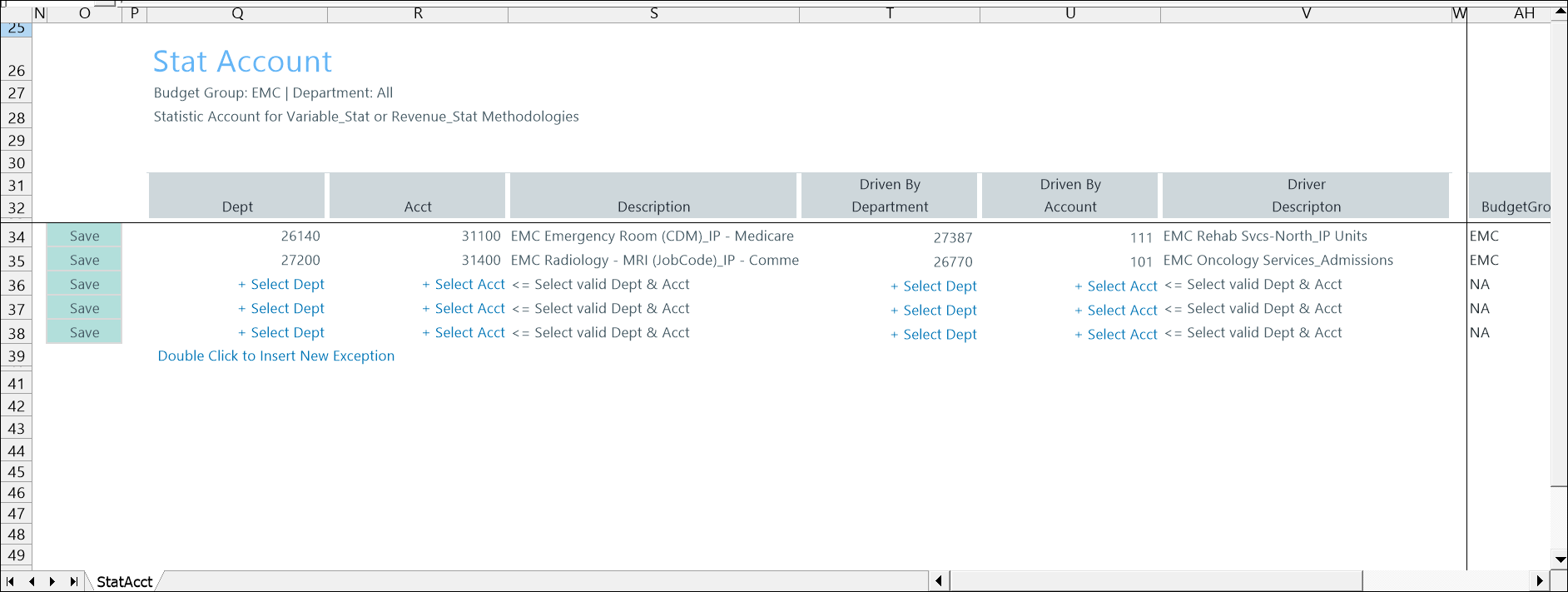
Configure settings
- Go to Admin > Admin Task Panes > Budget Admin > Budget Assumptions and double click the desired driver set:
- Access NY Budget Assumptions (next year's budget drivers)
- Access CY Budget Assumptions (current year's budget drivers)
Choose the refresh variables.
NOTE: Refresh variable selection depends on the driver's requirements. Some variables may not display, and not all drivers include refresh variable options.
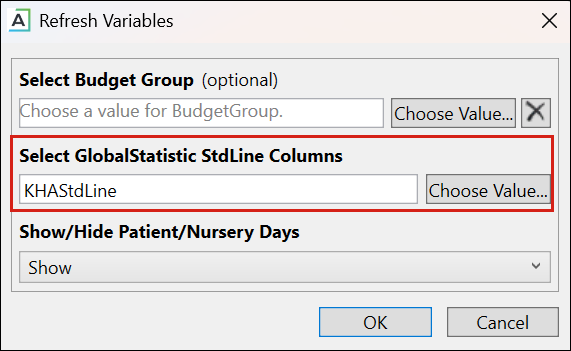
TIP: When refresh variables require a standard line, you must select at least one. If none are selected, the OK button is disabled.
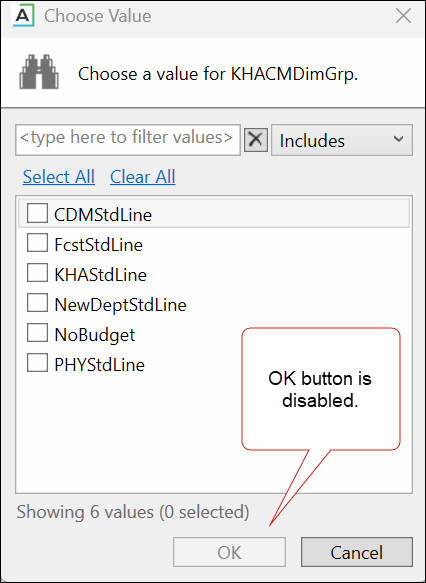
KHAStdLine is the default for the following drivers: 7-10 Budget Global Data, 05 Global Depreciation, 11 Global Expense Budget, and 12 Budget Revenue Global Revenue.
Department selection appears for the following drivers: 03 Budget Statistics, 05 Budget Depreciation, 11 Global Expense Budget, 12 Global Revenue Budget, 14 Budget Labor Rates, 20 Budget Global Sum, 23 Budget Global Labor Premium Dollars, 24 Budget Labor Benchmark, 28 Budget Labor Target, 36 Budget Provider Simple Dept Config, 42 Bugdet Stat Account.
-
To save any changes, right click the driver tab and select Save > Save Data Only.
Budget Stat Acct driver configuration includes the following steps:
